
Bridge vs. Atom
Continue the conversation after qualifying the lead.
Compare Bridge and Atom after lead qualification: WhatsApp number, customer replies, history and continuity when the sales rep changes.
The case
The lead has explained what they need, and a sales rep takes over. Compare the number the rep uses, where the reply is recorded and how another team member retrieves the agreements. Visibility can be lost if the rep uses WhatsApp outside the company’s connected records. That depends on setup and usage; it is not a general limitation of Atom.
Why choose Bridge
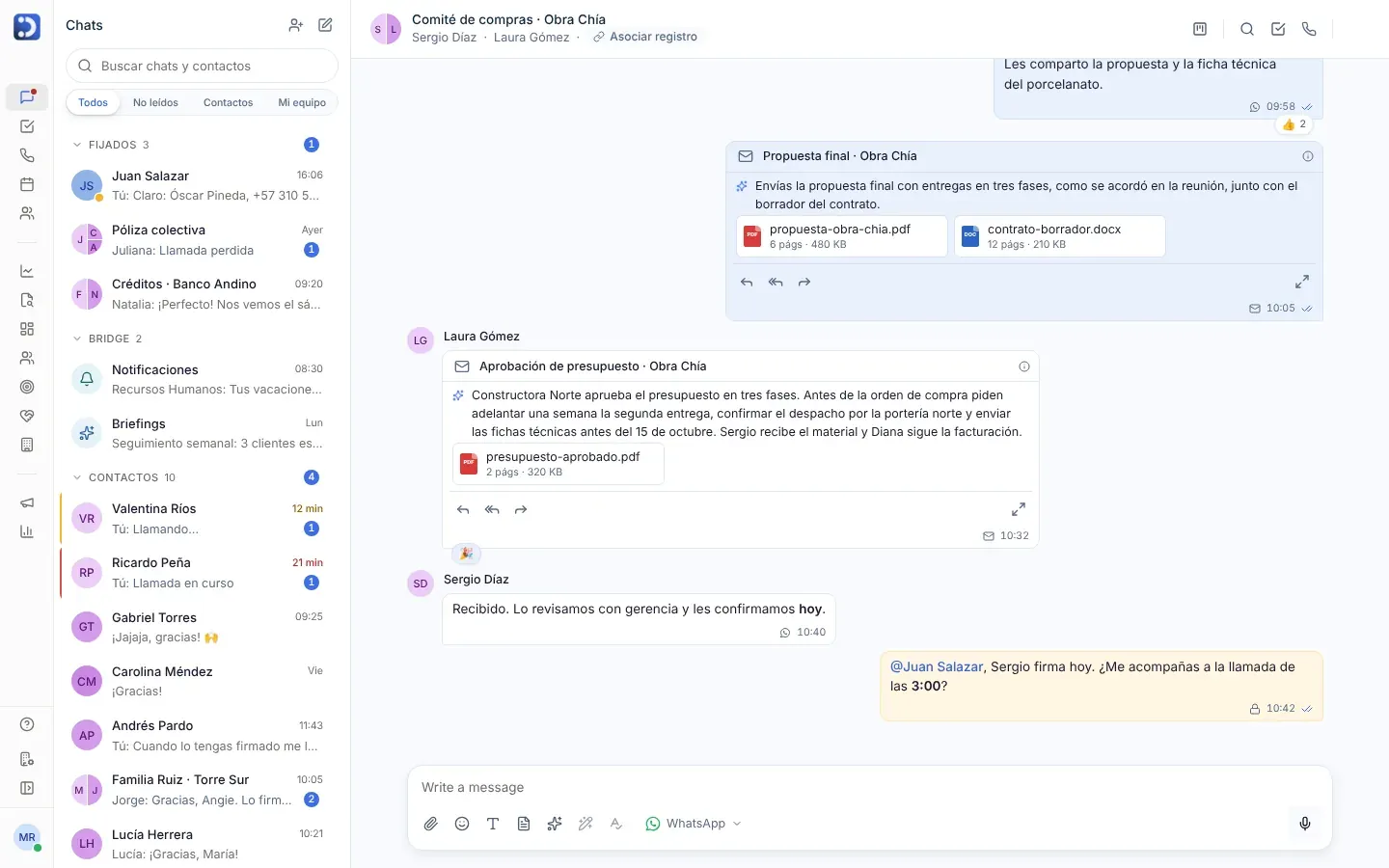
In Bridge, LeadScout hands over the context and the rep continues through the connected channels.
Authorized team members can review the reply and next step. If the implementation includes internal pipelines, confirm which people or agents can update them. Service and after-sales teams use the recorded history. Mappings and activities shared with a CRM depend on the connector.
Where does the rep send that first WhatsApp message?
Illustrative scenariosIllustrative scenario: Atom
- 1Lead qualified by AI
- 2The rep continues from the inbox configured in Atom
- 3Check which number the rep uses and where the reply is recorded
Illustrative scenario: Bridge
- 1LeadScout hands over the lead
- 2The rep writes from the company’s WhatsApp
- 3The manager opens the conversation and follow-up in Bridge
Both branches are illustrative scenarios, not measured results. Ask to see which number sends the message and where the reply is recorded in the setup you are offered.
Five steps in the same case
Each marker represents one step. Open the detail to see what each platform covers, which conditions apply and the source.
Symbol key
- In the product
- Requires configuration
- Through an integration
- Documented scope limitation
- Not documented
1Hand a qualified lead to the rep
Bridge
In the productLeadScout applies the configured criteria and passes context to the rep.
- Bridge:
- In the product
Atom
Requires configurationAtom supports configured qualification and human handoff.
- Atom:
- Requires configuration
2Send the rep’s first WhatsApp message
Bridge
In the productThe rep messages the lead from the company’s WhatsApp in Bridge.
- Bridge:
- In the product
Atom
In the productAtom documents an inbox where the team handles WhatsApp with history and context. Check the number and human handoff flow in the proposed setup.
- Atom:
- In the product
3Check whether the lead replied to that message
Bridge
In the productAuthorized managers can review replies to outreach initiated in Bridge.
- Bridge:
- In the product
Atom
In the productAtom documents history in its platform and logs messages, audio messages and calls in HubSpot. Check that the tested flow preserves the reply to the rep’s message.
- Atom:
- In the product
4Find the proposal email in the customer history
Bridge
In the productCustomer emails and documents stay in the history available to authorized teammates.
- Bridge:
- In the product
Atom
Not documentedThe reviewed sources document WhatsApp activity and its HubSpot integration. Sending the proposal email and retrieving it in the same history still need to be demonstrated in the setup being compared.
- Atom:
- Not documented
5Help the customer on WhatsApp after the purchase
Bridge
In the productService can continue the conversation with access to the company’s customer history.
- Bridge:
- In the product
Atom
In the productAtom documents post-sale support on WhatsApp as well as workflows that can be automated.
- Atom:
- In the product
What this changes for your team
- Marketing
Marketing can see how the paid lead was handled.
- Sales
Sales can keep the account moving when the rep changes.
What to see in the meeting
Use the same lead in both platforms. Have the AI qualify it, continue as a rep from the configured company number and receive a reply. Change the owner and check which messages, proposal and next step are available. If an activity reaches the CRM, identify the record and the configuration that sent it.
How pricing works
Bridge
Application per user and AI agents per handled conversation; additional charges separate.
Atom
Conversation and WhatsApp-number packages with unlimited users; custom Enterprise terms.
Quote the same scenario: users, numbers, active customers, AI-agent activity, calls, messages, integrations, implementation and support. Billing units are not equivalent. Confirm currency, taxes, term and channel charges before comparing totals.
Buying questions
An authorized colleague can retrieve the first message sent from the company’s WhatsApp in Bridge, the customer’s reply and the recorded next step.
In Bridge, the advisor can write using the company's configured WhatsApp account. Authorized team members can review the recorded message and reply. Compare the same workflow in the other configuration you are evaluating.
Continue the conversation after qualifying the lead.
In Bridge, LeadScout hands over the context and the rep continues through the connected channels.
Book a meetingSecurity for your evaluation. In Bridge, configured rules flag conversations that may contain a risk. An authorized reviewer sees masked evidence and confirms or dismisses the case with a comment. View security · Trust Center (opens in a new tab)
Comparison method and scope
Prepared by Bridge using public documentation. Sources describe what each provider publishes; they do not replace a test of your setup. Compare the same case, plan, device and integration. Illustrative scenarios are not measured results or general limitations of another product. How to compare, in the guide